
Download Express Talk – Free Secure VOIP Tool for Windows, Mac, Android & iOS
Overview
Express Talk is a versatile virtual telephone that works with most VOIP services, turning any computer into a full‑featured phone line. By leveraging standard SIP protocols, the app lets you place free calls to other computers that have Express Talk installed, making it an attractive alternative to traditional phone carriers and even popular consumer apps like Skype. Beyond basic voice transmission, Express Talk supports up to six simultaneous conversations, noise‑cancelling filters, firewall‑bypass configuration, and the ability to record conference calls directly to MP3.
Video support (H263, H261) extends its usefulness to webcam and IP‑phone users, while tight integration with Address Book on macOS streamlines contact management. Business users can upgrade to the Business Edition for advanced features such as call transfers and larger conference rooms. Whether you need a reliable solution for remote work, a cost‑effective way to keep in touch with friends overseas, or a scalable phone system for a small office, Express Talk delivers a feature‑rich, secure, and free‑to‑use experience that bridges the gap between basic VOIP apps and enterprise‑grade PBX platforms.
Core Features & Benefits
- Free computer‑to‑computer calls using standard SIP protocol.
- Supports up to six concurrent voice sessions on a single instance.
- Integrated noise reduction to improve call clarity.
- Firewall traversal mode for use behind corporate or home routers.
- Conference call recording in MP3 format for easy playback.
- Caller ID display and speed‑dial storage for frequent contacts.
- Video support (H263, H261) for webcams and IP phones.
- Mac OS X Address Book integration for seamless contact syncing.
- Business Edition adds call transfer, up to six‑person conference, and advanced call routing.
Pros
- Completely free for personal use – no hidden subscription fees.
- Multi‑line capability reduces the need for multiple devices.
- Low bandwidth consumption makes it ideal for slower internet connections.
- Cross‑platform support includes Windows, macOS, Android, and iOS.
- Simple UI that works well for both beginners and power users.
- Secure SIP encryption options protect voice traffic.
Cons
- Advanced business features require a paid upgrade.
- Video codecs are limited to older standards (H263, H261).
- No native mobile app for iOS/Android; requires third‑party SIP client for full mobile experience.
- Call quality can be affected by poor internet routing despite firewall bypass.
- Limited integration with third‑party CRM tools out of the box.
Installation, Usage & Compatibility
Getting started with Express Talk is straightforward. Follow these steps to install the software on your preferred operating system:
- Download the installer: Visit the official Express Talk website and select the version for Windows, macOS, Linux, or the generic SIP client for mobile devices.
- Run the installer: On Windows, double‑click the .exe file and follow the wizard. macOS users open the .dmg, drag the app to the Applications folder, and approve any security prompts.
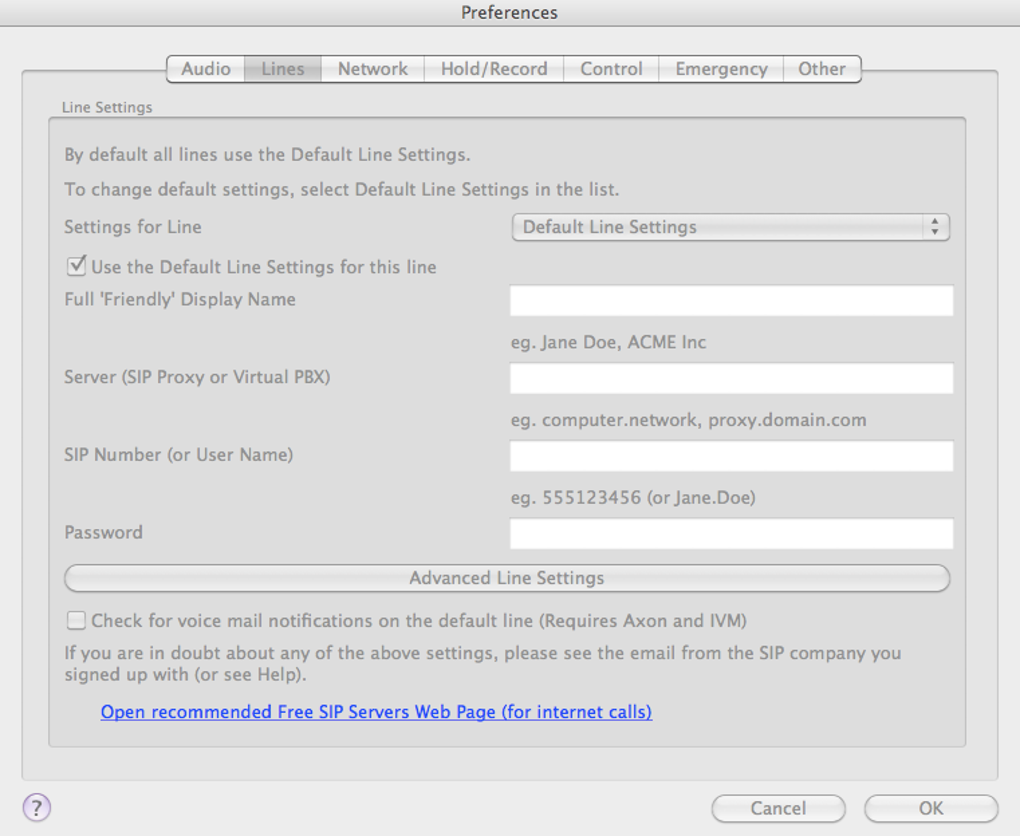
- Configure your SIP account: Launch Express Talk, navigate to Settings → SIP Account, and enter your VOIP provider’s credentials (username, password, and server address). The software automatically detects most major providers.
- Set up lines: In the Lines tab, create up to six separate lines. Assign each line a distinct display name, ringtone, and optional speed‑dial list.
- Enable firewall mode (optional): If you’re behind a strict NAT or corporate firewall, enable “Firewall Bypass” under Advanced Settings. The app will use UDP hole‑punching to maintain a stable connection.
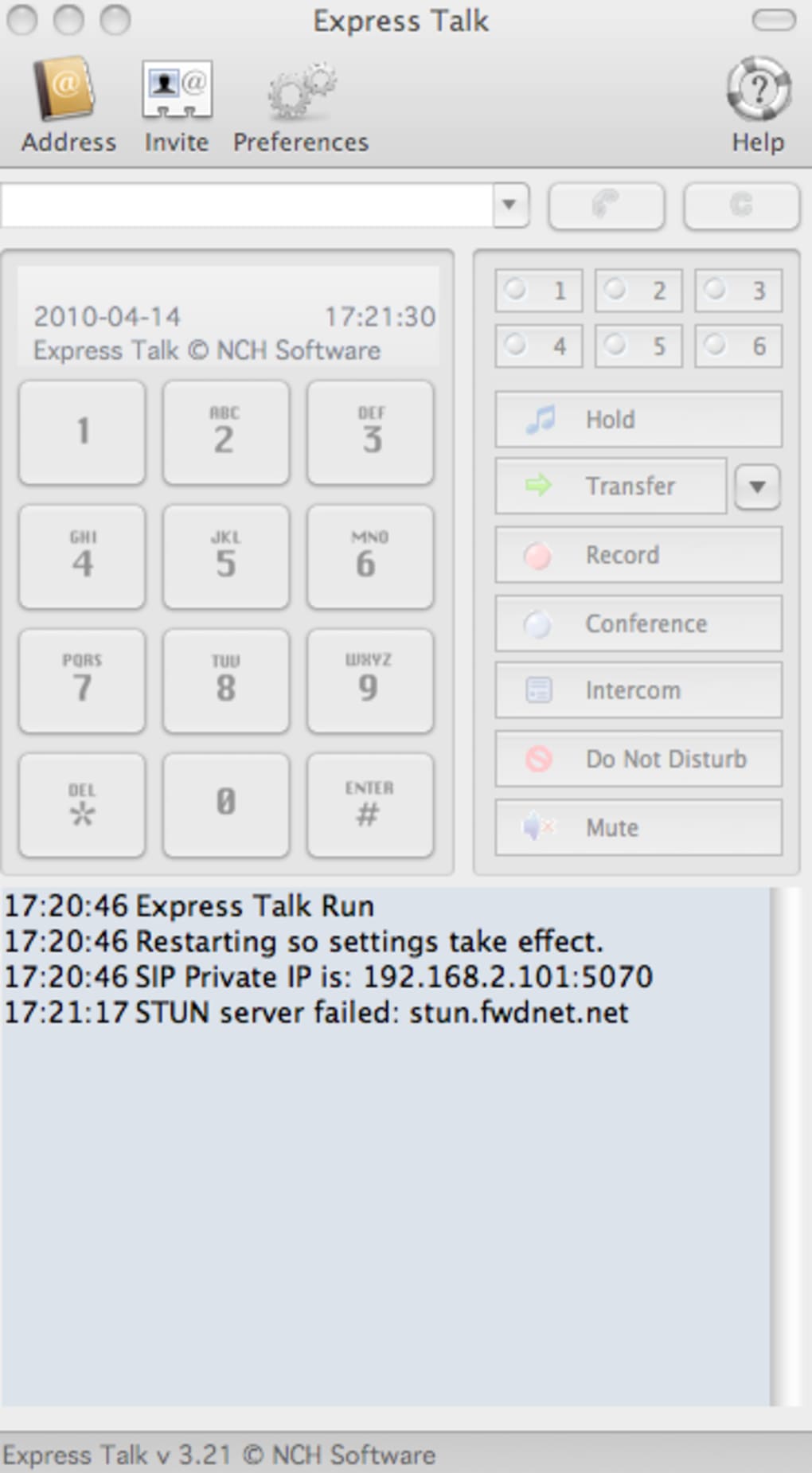
- Start calling: Use the dial pad to enter a SIP address or select a contact from the integrated address book. For conference calls, click “Add Participant” and repeat up to six times.
Compatibility: Express Talk runs on Windows 7 or later (32‑bit and 64‑bit), macOS 10.12 or newer, Linux distributions with GLIBC 2.17+, and any device that can run a SIP‑compatible client (including Android 5.0+ and iOS 11+ when paired with a third‑party app). The software requires at least 150 MB of free disk space and a stable internet connection with a minimum of 64 kbps upload/download for voice‑only calls; video calls need at least 256 kbps.
Once installed, the user interface presents a clean dial pad, a call log, and a contact list on the left side. You can drag and drop contacts into a conference window, toggle mute, hold, or record calls with a single click. The built‑in audio settings let you select input/output devices, adjust echo cancellation, and enable high‑definition voice codecs for crystal‑clear speech.
Frequently Asked Questions
Is Express Talk really free for personal use?
Yes, the core application is free. You can make unlimited computer‑to‑computer calls without any subscription. Business‑oriented features such as call transfer and larger conferences are available in the paid Business Edition.
Can I use Express Talk on my smartphone?
Express Talk itself is a desktop application, but it supports standard SIP. You can pair it with any SIP‑compatible mobile app (e.g., Zoiper, Linphone) on Android or iOS to receive calls on your phone.
How secure are my voice calls?
The software offers TLS encryption for SIP signaling and SRTP for media streams when your provider supports it. This ensures that voice data is encrypted end‑to‑end, protecting it from eavesdropping.
What video quality can I expect?
Express Talk supports H263 and H261 codecs, which provide adequate quality for low‑bandwidth environments. For HD video you’ll need a third‑party client that supports newer codecs such as H.264.
Can I record my conference calls?
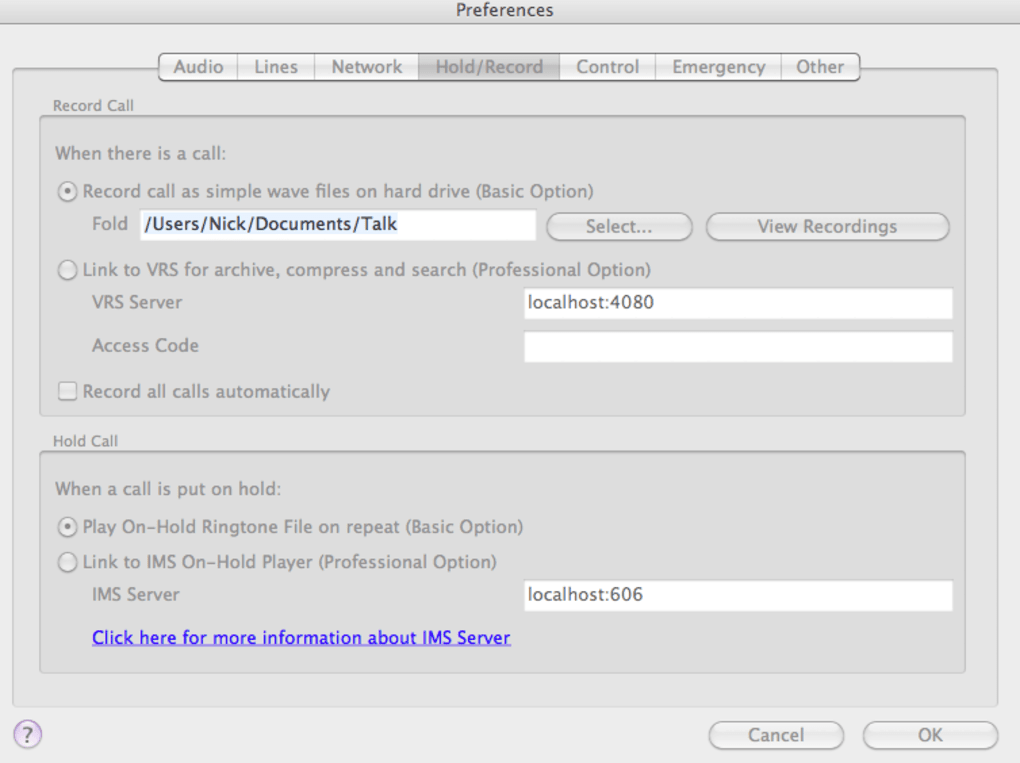
Yes, the app includes a built‑in recorder that saves conference calls as MP3 files. Recordings are stored in the “Calls” folder and can be exported or shared directly from the interface.
Conclusion & Call to Action
Express Talk delivers a powerful blend of free VOIP calling, multi‑line management, and essential business features—all wrapped in a secure, user‑friendly package. While the free version is perfectly suited for personal use, remote teams and small offices will appreciate the optional Business Edition that adds call transfer and larger conference rooms. The ability to bypass firewalls, record conversations, and integrate with macOS Address Book makes it a practical choice for users who need more flexibility than standard consumer apps but don’t want the complexity of a full PBX system.
If you’re looking for a reliable, cost‑effective telephone solution that works across Windows, macOS, Linux, and mobile SIP clients, download Express Talk today. Install the free version, test its features, and consider upgrading only if your workflow demands advanced call handling. Experience crystal‑clear voice, noise reduction, and the convenience of up to six simultaneous lines—all without paying a cent.







